Showing posts with label Cricut. Show all posts

Saturday, June 21, 2014

Stenciled chocolate wrap black forest cake

I do NOT own a cricut cake machine. I got my expression years ago with SCAL and do not intend to buy anything else for years to come. So, I don't explore much with fondant plus cricut. However, that doesn't mean you can't use the regular cricut for cakes. I recently learned a new technique called chocolate wrapping. There is an excellent tutorial here: Julia Usher Stenciled Chocolate Cake Wraps

She uses a beautiful stencil for her cake. I was inspired to try this because she made it look so easy. And actually, it wasn't so bad! And you can make your own stencils! Give this technique a try...everyone will be so impressed! This is particularly good for those of you who don't know how to pipe.

I needed to make a cake for a friend from church whose husband was finishing his internship at a physical therapy clinic. She wanted the logo for the company on the cake that said thank you. Besides that, she gave me free reign. I thought having the logo on the top with "Thank You" would look tacky. Enter new technique.


I loved the way it turned out. That being said, I could have used better white chocolate, but I used what I had on hand. I used Hershey's special dark chocolate chips for the rest of the chocolate wrap, and it was delicious! I also used a new mousse recipe I found online (mousse recipe here) for the middle and italian meringue buttercream for the frosting (delicious recipe here and tutorial here). The chocolate cake recipe is a doctored cake mix (found here). Cherry pie filling went on top. I love black forest cakes. Particularly with some type of dark chocolate ganache or the chocolate wrap here. It is decadent and fancy - perfect for parties where you want to impress.


So, how did I use the cricut? I created a .svg with the logo repeated on acetate for the length I needed and another stencil for the Thank You!. Then I cut more acetate the exact size I wanted for the height with a little extra to go around, per Julia's instructions. I layered the acetate stencil over the acetate base and applied melted white chocolate. After it hardened in the fridge, I added my dark chocolate over the white and put in the fridge until not liquid, but still flexible. Then I wrapped the cake with the acetate and put back in the fridge to harden completely overnight. The next day, I took off the acetate and cut off the excess chocolate in the back. And here's the result!


I bought my acetate online at Amazon.com. You can find the kind I bought here. I know it's not food acetate, but I'm not selling my cakes and I just washed it to make sure it was ok. I also use the acetate for other things (boxes really), so I had this on hand. I might look into food acetate if I do this technique enough...and some great stencils.

Hope you give this a try! I'm so glad I did.

Thursday, October 10, 2013

Free svg - thank you!!!

Happy Fall everyone!!!

***UPDATE***
I've gotten some feedback that:
1. the requirements are too high to get this file, and
2. people don't want to send out email addresses.

Both of which I completely understand!
Apologies for those of you who have already jumped through so many hoops! You are stellar!!!

I'm changing my approach, because I never wanted to make my blog be "work" for others...the whole point of sharing my svg's is to aid you in your quest for new and fun ways to give!
So see below to find out how much easier you can give this box away to friends and family!

***END OF UPDATE***

Tis the season to be thankful…and I’m thankful for you! 
Yes, YOU! 
You fellow bloggers and crafters, commenters and laughterers. J


 I know I’m not around much anymore and I don’t have a ton of time to create new stuff to share, but I appreciate that I have so many followers and visitors given the amount I blog these days. 


I also really, REALLY appreciate all the nice comments that make me feel good about sharing my work. I think your comments are what really keep me motivated to post what I make.


So, as a token of my appreciation for your comments, I have made this svg for YOU. 


Thanks again to all of you for taking the time to view and comment on my little  and very humble blog! My very best to all of you this season!


If you want to download, please do...the link is below...just leave a little comment for me so I can get enjoyment out of knowing I helped someone out! 

Saturday, November 5, 2011

Handled Box - free svg

Hi All! I don't know if you're going to be more surprised than I am, but I've actually finished another box file! I know, I know! (Cat in the Hat for those with kids who watch PBS :) This little guy is a nice one to put together because you only need to tacky tape two very small spots.

I originally made this to be all one piece, but found that the dimensions made this box extraordinarily small. Sooooo, I revamped and put it into two pieces so that we could all fit something inside that was bigger than a couple of tootsie rolls. Say what? You wanted to put a couple of your Halloween tootsie rolls into a box to share with your friends? Don't be a cheapskate! And please don't ever tell me I put more work into something than I should have! I'd prefer to find out that my extra work was worth it. ;) Especially since it is so hard to come by these days!
Link
Happy Thanksgiving and enjoy another box cut file!

Free svg
Handled Box - .svg


Sunday, February 13, 2011

Alligator Valentines (snap)! (Free SVG)

Happy Valentine's Day! (in 30 minutes or so...) Yes, it's almost midnight on Sunday and I'm just finishing up with Valentine's for the kiddos. I really can't claim much of anything that I did this time around, but I can share the love! I first got the idea for alligator valentine's from my sweet MIL who makes up big old themes when she gives gifts (and believe me, she goes ALL out!). Well, when she gave the kids some Valentine's, I fell in love with her theme and decided to go with it. I decided I was going to make boxes that looked like alligators, but was daunted by the task of coming up with an idea entirely by myself with only two days to speak of. So, I searched the net...and this is what I found!

Adorable! Cindy at Skip to My Lou
had a pdf of these little cuties and a great tutorial on them...go check her out! I fell in love with her site. So many fun ideas!

Well, I couldn't print the pdf and cut by hand these cute little guys (I mean, come on, use scissors?), so I (with the permission of one very kind Cindy at Skip to my Lou) created a .svg that I could cut with my handy dandy cricut. And guess what?! Cindy shares freebies too and said yee-ha to my request to share this file with you! Okay, she really didn't say yee-ha. I don't think she's from Texas.


I also got together my son's Valentine's to give to his class because I slept on the couch all day instead of doing it with him. I just made a cute little purse and stuck some candies and mazes in baggies. He'll be putting names on labels tomorrow morning. :)


If you're a slacker like me, here's a file! Or use it next year...if you don't want to be part of the last-minute loser club.

Free SVG
Alligator Valentine - .svg

Download and head on over to Skip to my Lou to see how to put it together (and to browse for hours on end...)


Friday, October 15, 2010

Haunted Files (Free SVG)

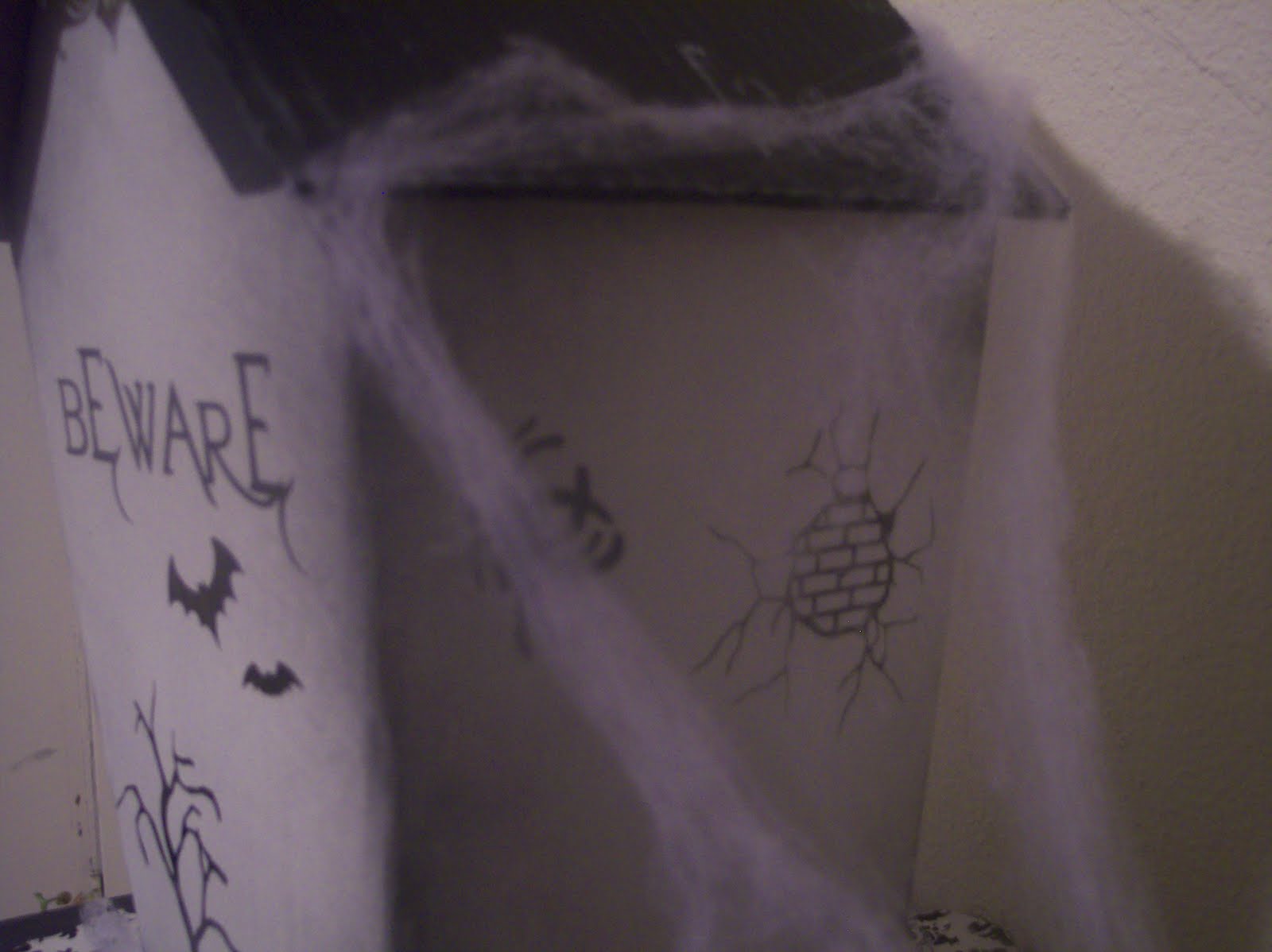
Would you like to make a Halloween decoration using only items you have? i.e. not spend a dime? Me too! And I did!! I liked the idea of having a haunted house on my console table, but didn't want to pay an arm and a leg OR get a little tiny cheap-o birdhouse to paint. So, I went to the drawing board...or cardboard to be more precise. I made a template and enlisted my husband to cut out the house with a box cutter. Could I have done it myself? Absolutely...but it's more fun as a family event. Here's what we came up with.


It's not done yet...I've still got a little more decorating to do, but it's close enough to share! I also started working on a file for a paper one that you can cut on your cricut.

Plus, there's a bunch of cut files for halloweenie stuff that I have on the house. We're using it now as a house that our kids Grandma haunts at night and brings them fun Halloween candies and toys. It's been really fun and helps my kids get excited for Halloween.


Want to make it too? Here's how:


Take the file that is for the Large Haunted House. I made this for paper, but it will be easy to change it to a file that can be used for the cardboard version. Below is what the file looks like. It is to proportion, so just size it as large as you want. I believe mine was 14" high for the total height after it is put together...but of course any size will do.

After it is cut out, just remove the portions that are dotted to show where to cut. You will only need to add some extra on the house on one side to connect the house together. You will trace the large house part twice, lining up the bottoms and sides to become one piece. Keep the excess piece that you see on the left side of the house for one of the traces in order to connect the house together. You can see by the picture below how you are going to connect the house. I used packing tape on the inside to hold it together, then used hot glue on the other side of the box to really hold it in place.


After the house portion was put together, I cut the roof out. In order for the roof to stay well on top of the house, I needed to cut out a portion of the innards of the cardboard as below. The line is down the middle of the roof that is to be bent and makes the highline of the roof. I used the box cutter and cut a little ways out on both sides and then gutted it.

Then, I sprayed the house with the rest of my white spray paint, waited for it to dry, then put another coat of white on. After it dried again, I used black spray paint and lightly sprayed the edges and bottom of the house and sprayed the hole top of the roof. I hot glued the roof on the house, cut out lots of vinyl for decoration, distressed the roof with white ink and stamps and hot glued the overhang on. All done and ready to display!
Here are the files for you to have:

Free SVG
Font used was Evanescence (FREE!)
I will also (hopefully very soon) be posting a cut file for the paper one that is easier to use than the file given so far. (It will all be one section for the house) However, if you want to show me what you make with this file (that allows for a larger house), please share in the comments and I'll post a link to your blog!
Thanks for looking and Happy Haunting!


Tuesday, October 12, 2010

Witchy shoes from Mindy (Free SVG)

My sister has been working on a new cut file and agreed to share it with everyone! Take a peek at how it turned out! Isn't she amazing?! I'm trying to get her and another very talented sister to share their stuff on this blog too, so you can benefit from their genius! Leave her a comment and beg her for me, will ya?!

Here's what Mindy says about the file:

The SCUT 2 files are in two layers. This will allow you to cut the first layer and then score the second layer. Just open your layer pallet in SCAL2 and choose to hide the blue layer to cut, then switch out your blade and turn it upside down. Score on 5 or 6 with depth Med-High depending on your paper thickness. To score in the correct spot. Make sure you insert the mat with either the top or bottom flush with the machine. Otherwise the score marks will be a little bit off when you reinsert the mat.

Have fun with your Halloween witchy-ness!

Here's the file -

Free SVG
Witch Shoe - .scut2

Here's some more files she gave me to share for this cut so that those who need svgs will have them...plus an insert for the shoe that adds to the cuteness!

Free SVG
Witch Shoe Insert - .scut2
Witch Shoe - .svg
Witch Shoe Scorelines - .svg
Witch Shoe Insert - .svg
Witch Shoe Insert Scorelines - .svg

Saturday, October 2, 2010

Star Wars Card with Yoda (Free SVG)

J.J. went to a birthday party today...and the theme was Star Wars. So glad we're not the only household with a Star Wars obsession. I made a Yoda card for him to give.


And if you so desire, you can create it too with this cut file:

Free SVG

Thursday, September 23, 2010

Mini Cupcake Box (Free SVG)

This post is a direct result of Tracy in Ecuador requesting a file...thank you, Tracy! Ever since I bought my mini mupcake pan from DI (1.00) I've wanted to make a cut file for this. I mean, hey, we all want to do a lot of things, right? I find, though, that I typically get more done if it's for somebody else...so here it is!
I decided to make brownies for the women I visit because I thought the brownies with nuts would be fun for fall. You'll notice the box here is a little tall for the brownies, but I did that on purpose. I wanted it to be tall enough that I could make a swirling tower of frosting on cupcakes should I want to put those in next time.


Here are the files for the mini cupcake box along with the dimensions you'll want to size them at in order to get them to fit together right.

Free SVG
Mini Cupcake Box Top .svg - keep proportions, size width at 9.327"
Mini Cupcake Box Bottom .svg - keep proportions, size width at 11.4"
Mini Cupcake Box Insert .svg - keep proportions, size width at 8.0935"

I didn't have any brownie mixes, so I took a chance on a homemade recipe that was highly acclaimed on Recipezaar. I actually thought it had a really good taste. If you want it, here it is: Brownies


Friday, July 9, 2010

Vinyl Home Tile (Free SVG)

I've had a tile for ages that's just been sitting on our computer table, all bored and plain. I decided this week that enough was enough and got to designing. I saw a wooden board someone made on the net that was all Autumn words and had this kind of a layout and some of the same fonts I used. It was my inspiration! Wish I could remember where I saw it so I could point you over there...I saved it as a pic on my computer a long time ago...so please share if you know the link!


I thought it was a fun alternative to the one phrase tiles. I also like that every font I used on this file was FREE! I've included the cut file...open it up and click on the words...it'll tell you in one of the windows what font it is if you don't have it already! Then download for free on the net! One of my favorites is Aquarelle...a free version of Passions Conflict. Such a beautiful font (Family, Prayer words).

You can find the file here:

Free SVG

Monday, July 5, 2010

Silhouettes

Ever try your hand at silhouettes? All you need is the right picture, inkscape (free program on the net), and a little bit of time. This is a pic of my fabulous sister-in-law, Jill. Seeing as how she's so beautiful, I don't think she'll mind me using her as an example... :)


This picture had a lot of good things going for it. The first is that the focus is on the person. A lot of photos show the background as well as the foreground...which makes it hard for inkscape to decipher what to use in the picture when you trace the bitmap. It also had a lot of good contrast. Plus, it was just a pretty picture.
It's really a very simple process. You import the picture into inkscape, then go to path, trace bitmap. Once the screen comes up, choose brightness cutoff, then update. This will show you what it will look like. If you like it, click OK. It will create that image over the image you already had on the drawing page. Usually, the image has way too many nodes (the squares) that would be very difficult and time consuming for your cricut to cut out. You will have to simplify the picture. You can do this in two ways. An easy way to decrease the number of nodes is to press control L, or path, simplify. I don't typically like using this route though when the image is a face. The program doesn't do a great job at keeping the right features from being simplified too much. I like to press the node button and delete nodes a little at a time until I get the desired effect.
This is another silhouette I made that I will eventually use. I'm thinking about creating one of each of my kids; however, I don't have a good enough camera to take the pictures that will create a good silhouette. You'll find that's the hardest part...getting a good picture!

If you want the Joseph Smith silhouette, you can find it here:

Friday, July 2, 2010

Baby Shower Gifts

My newest sister-in-law, Tiffany, came down on Father's Day weekend and we had a baby shower for her. Six out of the seven kids in my family were there and we had a great time. I thought I'd show you all just how stinkin talented my sisters are and how much I pale in comparison (not that I wanted you to know that...it just kinda comes out).

My younger sister Miriam made this super cute diaper cake. I love how it turned out and the colors and ribbons she used!

My sister Mindy (the same one who makes the incredible cakes) made this rag quilt with matching diaper bag. Isn't it so cute!? You really need to see the bag up close to fully appreciate it. Not only were the colors amazing, but it had pockets and closure and everything. Uh-mazing!
And then of course, there's my sister Michelle. She's always been a great seamstress, but I think she outdid herself this time. I mean, seriously? Monkeys, trees, dots, etc. I love this! I'm stealing it, Tiffany...do you hear me?
She also made this really cute naughty stool. Is that an oxy moron? At any rate, I loved this too. She made the little stick figures. I think she drew them by hand and then put them into the computer to cut them out with her cricut.
And then there's me. My other sister and I went in on a couple of baskets. This is one of them...a bath basket. Totally useful, but not very creative. :( Though I did spray paint the two baskets white so they matched. Kudos, Melinda.

Sunday, June 20, 2010

Car Vinyl...funny stick figures

***REVISED***

A number of people have asked where I got these...I'm sorry to say, I made the Leia and the body of the storm trooper and the head of the trooper I altered from a free clip art. I'm only sorry because I have promised my husband that I wouldn't put the files on here so he could have the only set of these guys. (What can I say, he's a collector at heart and revels in having the one and only!) So again, I'm SORRY!!

***End of Revision***

Sometimes I'm surprised at the things my husband takes an interest in. This time, it was stick people for our car. He's been seeing other people's vinyl and thought it would be fun to have something a little more tailored to our family. ALL of my boys (husband included) love Star Wars. That being said, this is what my husband wanted...

A little something unique...plus it fits. We've got our own little army now.

Thursday, May 20, 2010

Artist invitation


Here's the latest for my little almost four year old's birthday. He colors for hours every day and can't get enough of it! I found the idea for an artist party from Kim's blog...Frost Me Blog (link on the right). It was perfect for him. So, to get it started, I created a birthday card and thought I'd share it. I'm giving the .scut file and the .svg for anyone who wants it!
What little kid doesn't enjoy a little gift as part of the invite? Next time you throw a party for your child, see if you can't throw in a little something something to get them excited!
Here's the file:

Sunday, January 31, 2010

Design Challenge! (Free SVG)

First off, just let me say, "Woohoo!!" I'm so excited so many people thought they'd want to do this! And I confess, I had another reason for wanting to do this. You see, I had a very specific use for this in mind when I made it, and I'd love to see what you all can do with this. I'm hoping for some other great uses than what I had in mind. With that said, here is the plain version of the cut.

Note that this has not been put together all the way (the flaps are still hanging out) and the acetate is not on yet either.
So...if you want to participate, cut out this box, decorate it up, put goodies in it, or whatever else you can think of, and leave a comment on this post. Then, next Sunday, I'll post my version and link to your blog (or if you don't have one, let me know and we'll exchange via email or get another way to show off your stuff). I'm really hoping for some great different ways to use this...I've got brain block and can only relate this box to what I originally thought of!
K, ladies! Let's get scrappin!
File:

Free SVG

Tuesday, December 8, 2009

Nativity

Thanks everyone who has put up a link so far...for those who haven't, you have until the 20th if you're still working on projects!

Lately I've felt a huge crunch as finals approach (along with all the projects, presentations, and papers due at the end of a semester), so I haven't had a whole lot of time to work on new things. However, there is this one file that I created after I saw a picture of a cute nativity. I basically just manipulated shapes in inkscape to create this and I thought it would make a gorgeous nativity in wood or metal (like the picture I saw). Hope someone can use it...wish I could!!

File:
Nativity Scene - .svg

Thursday, September 24, 2009

Cut File Freebie - Week #18


This is much like the Mother's Day goodie bag I put on here a few months ago. I got the decorating idea from Regina Easter...I love that girl's stuff! Anywho, it's really easy to make! Perfect for the person who only has a little bit of goodies to give and wants something fast!
Have fun making!